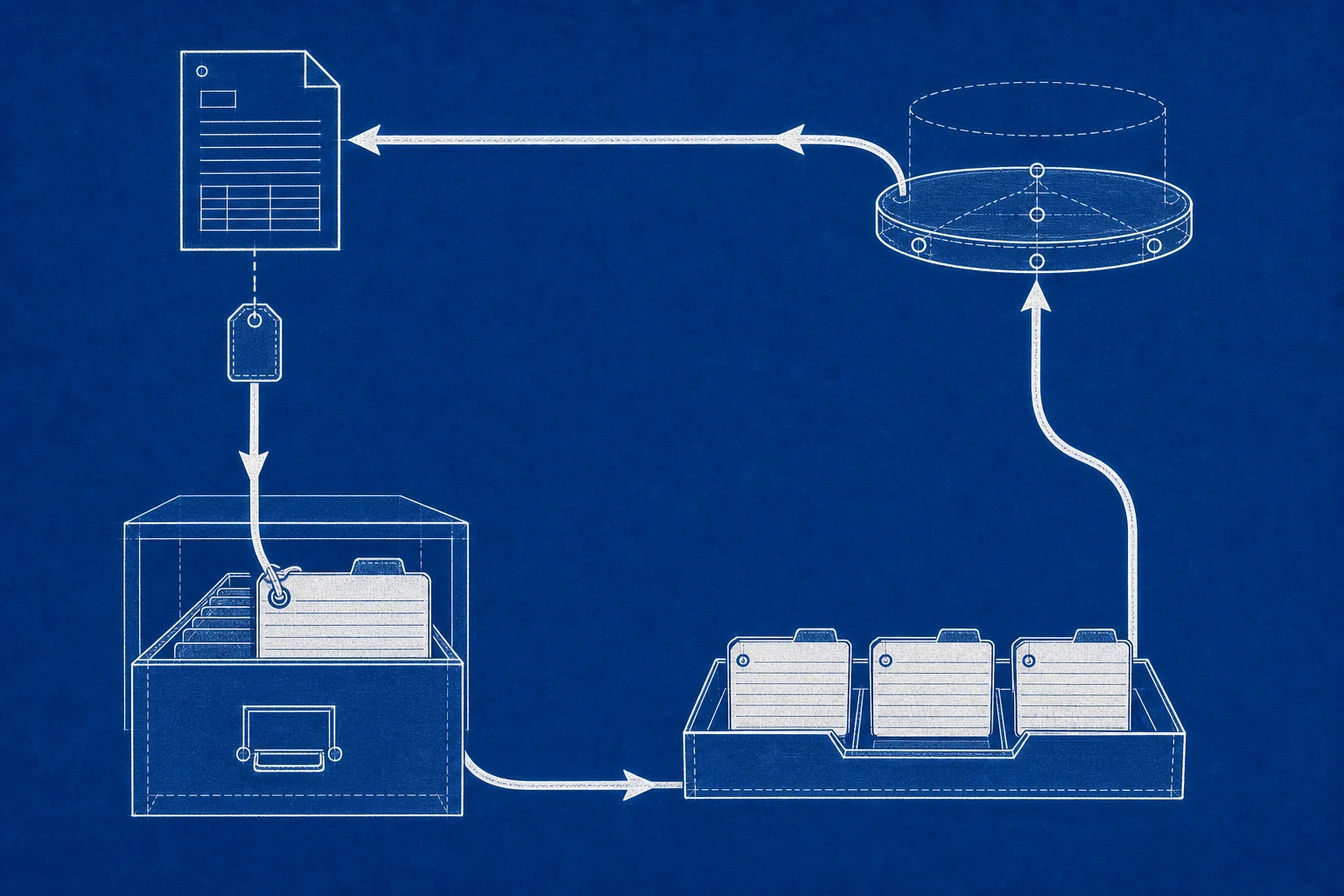
Offline conversion tracking in Google Ads is the practice of sending conversions that happen away from your website’s browser tag back to Google, so the platform can optimize toward them. A phone call, a deal that closes three weeks after the first click, or a payment that settles through your processor are all offline events. None of them show up in a browser conversion tag. You capture the click ID from the original ad click, store it, and upload the conversion later, paired with that stored ID.
That’s the definition. The reason it matters is the gap every lead-driven business runs into. Your Google Ads tag counts a form submission the second it happens. It has no idea whether that lead ever picked up the phone, qualified, or paid. So Google optimizes toward form fills, and your cost per acquisition looks great right up until you check actual revenue. Offline conversion tracking is how you close that gap and feed Google the outcome that actually matters.
I run tracking implementations for clients, and I built Advanced Tracking Academy around the server containers I deploy in production. This guide covers what offline conversion tracking is in Google Ads, how it pairs a click ID with an offline event, the two ways Google accepts the upload, and the one step most setups skip: validating that the offline event actually happened before it counts.
What is offline conversion tracking?
Offline conversion tracking records conversions that occur off the website, after a visitor has left, and sends them to an ad platform so it can credit the campaign that drove them. Google calls these “offline conversion imports.” The word offline misleads people here. It has nothing to do with whether the internet is involved. It means the event happens outside the browser path your website tag watches.
Common offline conversions:
- A phone call from a lead that lasted longer than two minutes
- A deal marked Closed Won in your CRM
- A lead moved to Sales Qualified
- A payment that settled through your processor
- A signed contract or a booked appointment
Every one of these is invisible to a browser tag. The tag saw the form submit and stopped. The conversion, the thing you actually wanted, happened somewhere else, often days or weeks later. Offline conversion tracking is the bridge that carries that delayed, offsite outcome back to Google Ads.
Online vs offline conversion tracking
The two systems answer different questions, and confusing them is where most optimization mistakes start.
| Online conversion tracking | Offline conversion tracking | |
|---|---|---|
| Where the event fires | Visitor’s browser | Your CRM, server, or processor |
| When it counts | Immediately, on page load or click | Later, when the real outcome happens |
| Sees offsite outcomes | No | Yes |
| Can be fired by bots or refreshes | Yes | No, if you gate it |
| What Google optimizes toward | Page loads and form submits | Calls, deals, settled payments |
| Typical use | E-commerce checkout | Lead gen, B2B, high-ticket sales |
Read that table and the limitation of online-only tracking is obvious. A form submit is a signal of interest, not a result. If you sell something with a long sales cycle, a service, a subscription, or anything where the money changes hands off the website, online tracking trains Google on the wrong outcome.
How offline conversion tracking works
The mechanism rests on one idea: every Google Ads click carries a unique identifier, and you can store it, match it later, and credit the conversion to the exact click that earned it.
Here is the path a single offline conversion takes.
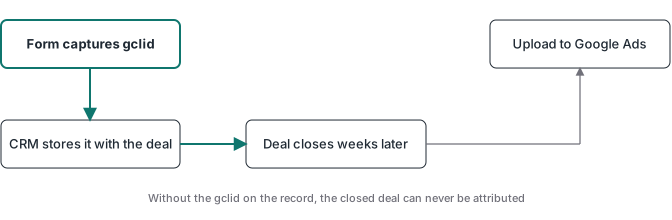
- A visitor clicks your Google Ads ad. The click URL carries a parameter called the GCLID, a long string Google uses to identify that specific click.
- You capture and store the GCLID. On the landing page, your tag or server saves the GCLID alongside the lead, in a hidden form field, in your CRM, or in a server-side session record.
- The visitor leaves, and time passes. The lead sits in your pipeline while your sales process runs.
- The offline event happens. A call connects, a deal closes, or a payment settles. Whatever system saw it, your CRM, your phone tool, or your payment processor, fires a signal.
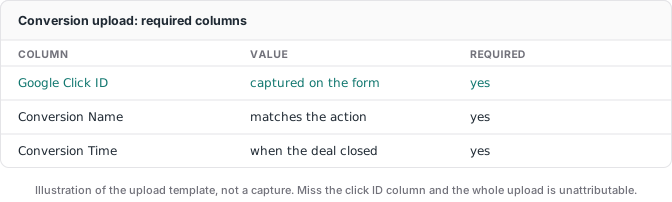
- You upload the conversion. Your server sends a conversion record to Google Ads carrying the stored GCLID, a timestamp, and optionally a value.
- Google matches and credits. Google pairs the uploaded GCLID to the original click and counts the conversion against the campaign and keyword that drove it.
Step 2 is where DIY setups leak. If the GCLID is not captured and stored at the moment of the click, there is nothing to match later, and the offline conversion is lost before it ever gets uploaded.
The two ways Google accepts the upload
Google gives you two main paths for offline conversion imports, and which one you use changes how much matching work Google does versus how much you do.
Enhanced Conversions for Leads is Google’s recommended path. Instead of relying on you to store the GCLID, you send hashed user data, usually a hashed email or phone number captured in the lead form, and Google matches it to a signed-in user on its side. It recovers conversions even when the GCLID was stripped or never captured, and it tends to improve match rates because Google is doing the identity work.
GCLID-based upload is the older, more controllable path. You capture the GCLID yourself, store it with the lead, and upload conversions that carry it. Google matches on the click ID alone. It gives you full control over which offline event becomes a conversion, because you decide exactly what to send, but it depends entirely on you preserving the GCLID through your pipeline.
Most professional setups I build use both. Enhanced Conversions for Leads as the safety net for clicks where the GCLID did not survive, and a GCLID upload for the events where you want tight control over what counts. The upload itself runs through the Google Ads API or through a server-side tagging container connected to Google’s Data Manager, which is the unified path Google now points first-party and offline data through.
What offline tracking does not fix
This is the section worth slowing down on, because it is where “just upload your offline conversions” advice falls apart.
Google trusts whatever you upload. Upload every form submit as a conversion, and Google optimizes toward lead volume, including the spam, the duplicates, and the people who never answered the phone. Upload a conversion every time someone books a call, and Google learns to find more call-bookers, not more buyers. The offline path is more accurate than the browser tag, but it still optimizes on whatever you feed it.
The failure mode looks like this in audits. A team wires their CRM to send a Google Ads conversion the moment a lead reaches a certain stage. That stage includes leads that later went cold, duplicates of existing customers, and test records someone forgot to filter out. The conversion count in Google Ads climbs, the cost per conversion drops, everyone celebrates, and the actual revenue stays flat. The tracking got more complete and less trustworthy at the same time.
Validating the offline event before it counts
The fix is to make the conversion mean something real before it leaves your server. A settled payment is the cleanest source of truth. Your processor sends a webhook when a charge actually clears, your server matches that webhook to the stored GCLID and the original click, and only then does the conversion go to Google Ads. Every conversion Google receives now maps to money that changed hands.
You can apply the same gate to non-payment outcomes. A qualified lead becomes a conversion only when it hits a CRM stage your sales team actually uses, not the first stage a form drop lands in. A call counts only when it crossed a duration threshold, not when the dialer connected. The principle is the same: tie the conversion to an event with a real-world consequence, and filter everything else out.
That validation layer is custom logic, and it is the part a turnkey upload tool will not do for you. If Stripe is your processor, the webhook-validated purchase flow is its own walkthrough in the Stripe conversion tracking guide. It is also the architecture every ATA container ships with, because a conversion count you cannot tie to revenue is a number, not a signal.
Sending offline conversions to more than Google Ads
The offline event you just validated does not only belong to Google. The same settled payment that became a Google Ads conversion is also a Meta offline conversion and a TikTok event, if you run ads on either.
This is where a server-side tagging container earns its keep. Instead of writing a separate upload integration for every platform, you validate the purchase once on your server and fan the same event out to Google Ads, the Meta Conversions API, and TikTok from one place. One source of truth, every platform credited. If you are weighing that shared server against a single-platform path, the Conversions API Gateway vs server-side GTM guide lays out the trade-off, and the wider case for moving delivery off the browser is in the server-side tracking guide.
Setting up offline conversion tracking with a server container
A realistic path, whether you build it or deploy a prebuilt container.
- Create the conversion action in Google Ads. Under conversion data sources, set up an offline or import action and note the customer ID and conversion label you will send against.
- Capture the GCLID on the landing page. Store it with the lead, in the CRM, in a form field, or in a server-side session.
- Stand up the upload path. Connect a server-side tagging container to Google’s Data Manager, or write the Google Ads API call directly. A managed host has the container running quickly.
- Add Enhanced Conversions for Leads so hashed email or phone recovers clicks where the GCLID was lost.
- Gate the conversion on a real event. Fire the upload from a settled payment webhook or a confirmed CRM stage, not from a form submit.
- Test before you trust it. Run a real conversion through, wait for Google Ads to process it, and confirm the count and value match what your processor or CRM recorded.
Steps 4 and 5 are where most builds go quiet. The dashboard looks healthy because conversions are flowing, and nobody notices they are flowing from events that should not have counted.
What offline conversion tracking costs
Google charges nothing per offline conversion imported, same as it charges nothing to receive an online tag event. The cost is the infrastructure that captures, validates, and uploads.
Two numbers to budget:
- Hosting: a managed server container starts around $20 per month per site. Google Cloud Run can be cheaper at low traffic if you operate it yourself. A managed host like Stape, where I run client containers, handles the container and the Google Data Manager connector.
- Setup time: the real variable. Built from scratch, a correct offline setup with GCLID capture, Enhanced Conversions for Leads, and payment validation is days to weeks the first time. Prebuilt containers compress that to about an hour.
For anyone spending real money on Google Ads for lead gen or high-ticket sales, feeding the platform your actual outcomes pays back the hosting many times over. If your spend is small, fix the offer and the sales process before the plumbing.
Where to go from here
If you are implementing this, the multi-platform angle is the one worth reading next: the Meta Conversions API guide covers how the same server that uploads to Google also handles Meta, with the deduplication and validation steps in detail. For the canonical case of a settled Stripe charge becoming the offline event Google optimizes on, the Stripe conversion tracking guide walks through the webhook, the attribution capture, and the filtering end to end. For where the container runs and how to host it, the server-side GTM guide is the deeper walkthrough.
And if you would rather deploy than build: the ATA Google Ads container ships with GCLID capture, Enhanced Conversions for Leads, and webhook-validated offline conversions already wired in. Import, configure, and go live in under an hour, $27 per month with the price locked while you stay subscribed.