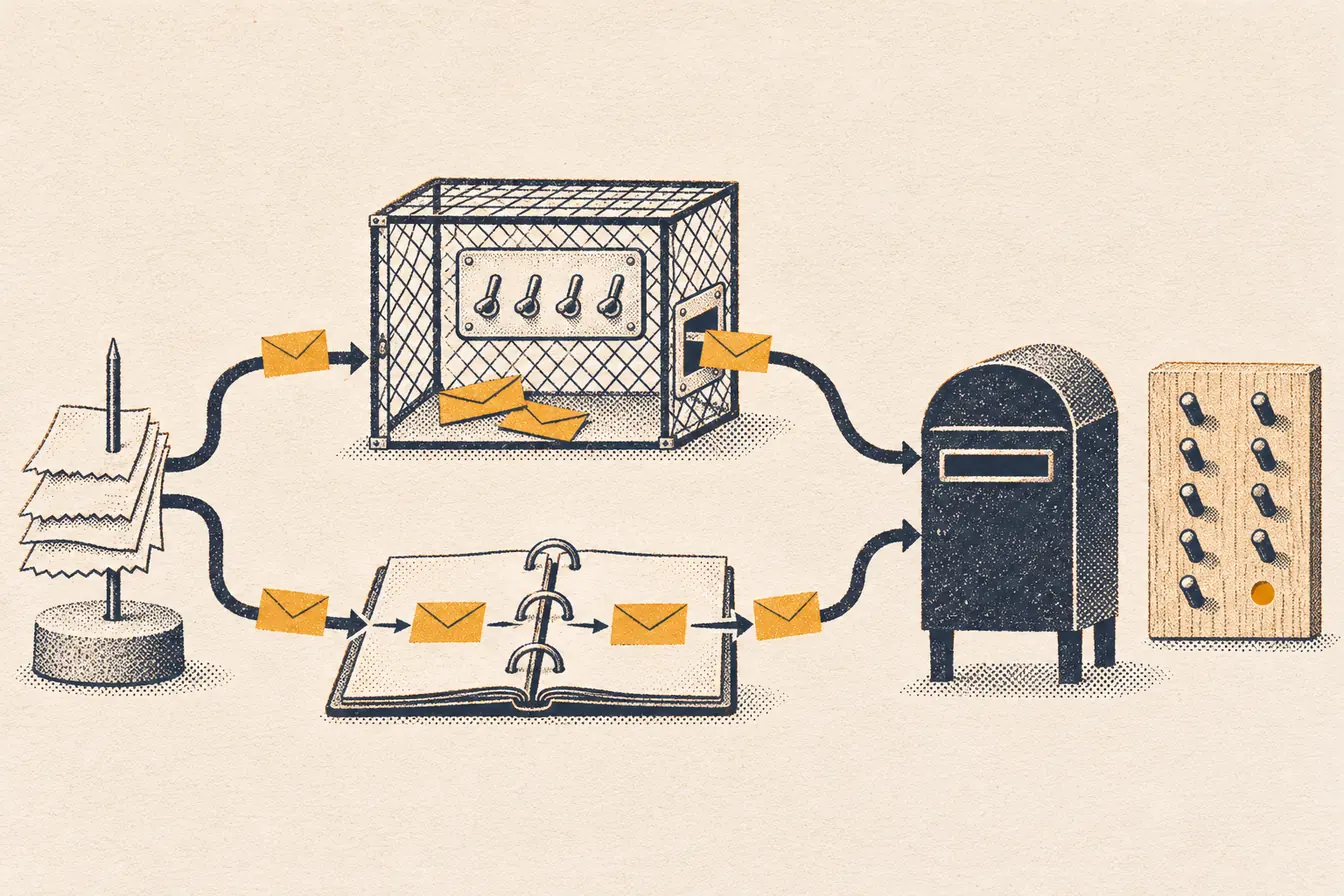
“Should I replace GTM and Stape with AI and code?” keeps coming up in tracking groups. The usual answer goes like this: GTM is more flexible, it reaches more platforms, it’s easier to debug and easier to hand over, so AI is fine for simple projects or for dashboards on top.
We run both. We teach GTM with Stape, and we run our own sales and client sites on tracking code written with AI, with no GTM at all. From that seat most of those objections look backwards.
The test that matters for both is money: how many of your paid sales reach the ad platform. Meta says it plainly:
“You can use only matched events for ads attribution and ad delivery optimization.” Meta, Conversions API best practices
A sale that never arrives can’t be matched, can’t be attributed and can’t teach the algorithm who buys. So here are the six objections, judged by that.
1. “Every change depends on the prompt”
The prompt is gone the moment the session ends, and that’s fine. What stays is code in a repository, and the tests that go with it.
The next change works like any software change. Someone (a developer, or a new AI session) reads the code, edits it, and runs the tests to prove nothing else broke. Our engine has more than 300 test files, and every change runs them before it ships. Nobody needs the original prompt.
A GTM change depends on someone who understands that container, clicks through Preview by hand, and publishes. That’s a dependency too. It’s just one we’re used to.
2. “GTM is more flexible across platforms”
Every ad platform that matters accepts server events over an API: Meta’s Conversions API, TikTok’s Events API, and Google Ads conversion imports through the Google Ads API. Code can call any of them, including a platform nobody has built a GTM template for yet.
Server GTM is more fenced in. Templates run in sandboxed JavaScript with a fixed list of APIs, and a server container has a size limit. We’ve hit it: in September 2026 GTM refused to save a fresh server container holding Meta, Google Ads and TikTok templates together.
What GTM has is the gallery. Someone already wrote the template, and you fill in an ID. With code, someone writes the integration, and writing an integration against a documented API is exactly the work AI does well.
3. “GTM is easier to hand over”
GTM keeps versions, so it isn’t a black box. But a version diff lists which tags and triggers changed, not why, unless someone filled in the notes. The logic is spread across triggers, variables and Custom HTML tags. Hand a two-year-old container to someone new and ask them why trigger 47 exists.
Code in git hands over better. Every change has a date, a message with the reason, and the exact lines it touched. The logic reads top to bottom in one place, and the tests tell the next person what must stay true. Any developer or AI can read a repository like that in minutes.
4. “Debugging is better in GTM”
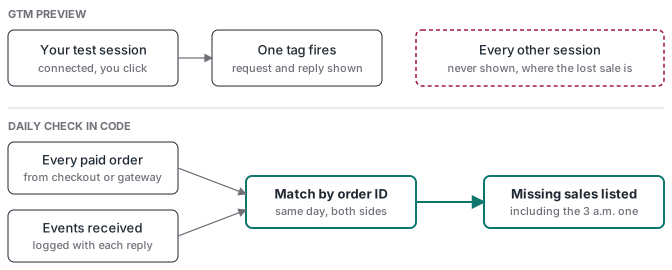
GTM Preview is good. You see the tag fire, the request go out and the platform answer. For building a tag, it’s hard to beat.
But Preview debugs one session: the one you connected, while you click. The sale that fails at 3 a.m. on an iPhone with a content blocker never shows up there, and that’s the sale you lose.
Code can debug at the scale of every sale:
- log every event with the platform’s reply (our engine stores Meta’s response for each send, including events received and its trace ID)
- send test events with a Test Events code and read them back in Events Manager
- compare paid orders with what the platform received, every day (how to build that check)
A green check in Preview says one tag fired once. The daily comparison says whether your sales are getting through.
5. “AI is only for simple projects”
It’s the other way round. A simple site with one pixel and a lead form is where GTM is perfectly fine.
Complexity is where code wins: deduplicating browser and server events, sending offline conversions from a CRM, joining several payment gateways, telling a first purchase from a renewal, taking refunds out. That’s logic, and logic needs tests. Built out of GTM triggers and sandboxed templates, it gets hard to reason about and harder to prove. We run client sites live on code for exactly those cases.
6. “Keep GTM, put AI on top for the dashboards”
An AI report can only be as good as the data you collected for it. Give it a dataset with missing purchases, duplicated events or sales credited to “direct”, and it will answer confidently with the wrong numbers. It can’t see the sale that never arrived.
Fix collection first. Then the AI report is worth reading.
Where GTM still wins
GTM is the right call when a marketer with no developer and no AI tool needs to change a tag alone, today. Preview is very visual for browser events, the template gallery covers the common platforms, and the community is huge. If that’s your team, GTM with Stape is a solid setup, and we teach it. If you use AI with GTM, the AI for GTM guide covers building and testing changes before publication.
No setup, GTM or code, gets around a platform’s policy, either. Meta restricts lower-funnel events for some categories (health and finance among them), and better tracking doesn’t lift that.
How to decide
Ask three questions:
- Who will change the tracking next month, and what will they need: a UI or a repository?
- How will you know when a paid sale didn’t reach the platform?
- How many systems does one sale cross (checkout, gateways, CRM, refunds)?
If the answers are “a marketer”, “we’d look in Preview” and “one”, stay on GTM. If they’re “a developer or an AI”, “a daily check” and “several”, code is the easier tool, not the harder one.