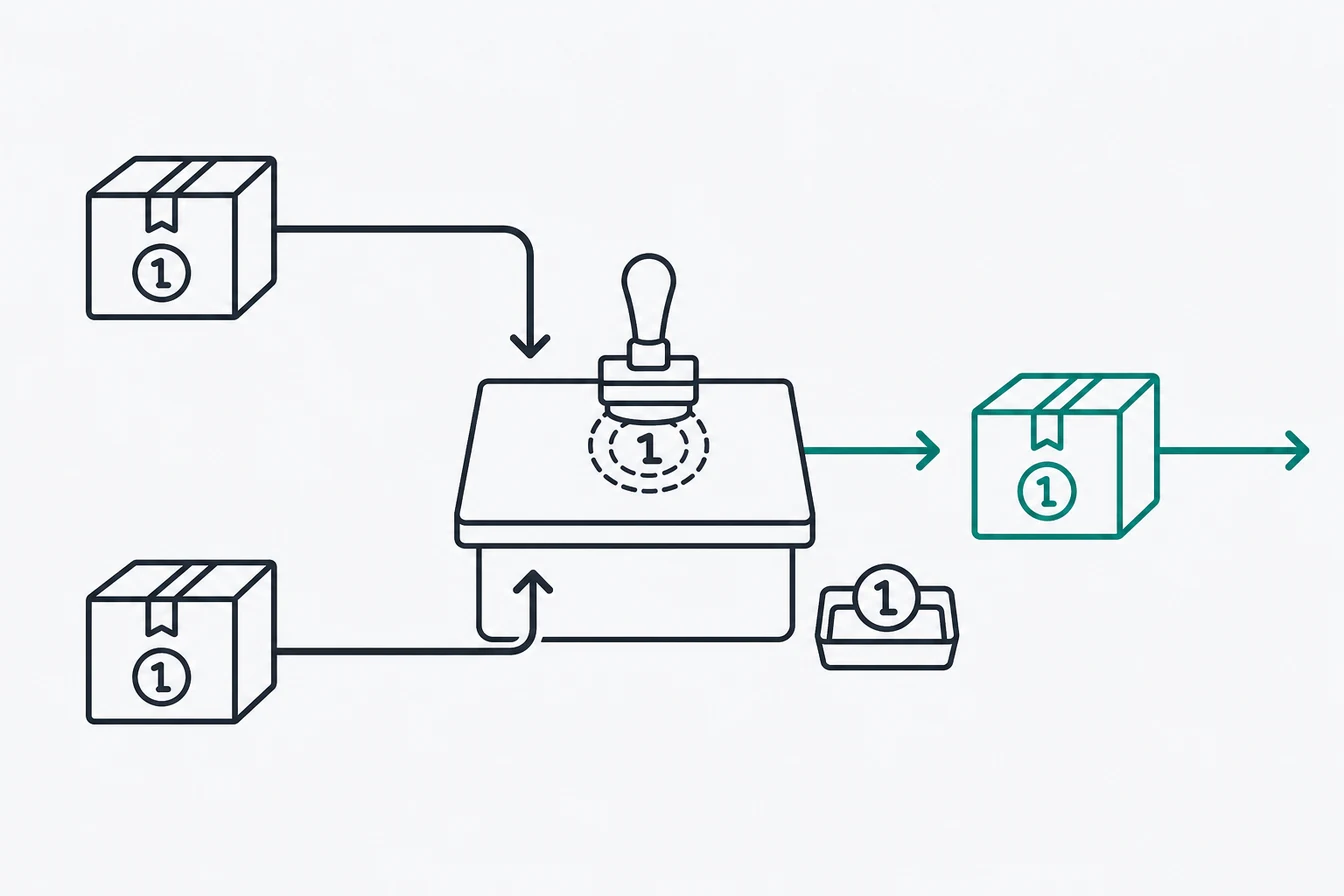
The TikTok Events API is a server-to-server connection that sends marketing events from a website, app, CRM, tagging server, or backend system to TikTok. For web tracking, TikTok recommends running it alongside the TikTok Pixel and deduplicating overlapping events. The Pixel captures browser context. The API gives the same conversion a server delivery path and can also accept events created independently by a payment system or CRM.
That distinction matters. Routing a browser event through a GTM server container protects the final request to TikTok, but it cannot recover an event that never reached the container. A purchase created from a verified payment webhook is different. It starts on the backend, so it can still reach TikTok when the browser path fails. This guide shows both routes and where each one helps.
I use this architecture in client work and in the containers inside Advanced Tracking Academy. The practical target is simple: one clean Purchase event, accurate match keys, one shared ID when two channels report it, and a test that proves the payment event came from a real transaction.
What is the difference between TikTok Pixel and Events API?
The TikTok Pixel runs in the visitor’s browser, while the Events API sends data from a server. They are complementary channels. TikTok’s own guidance recommends using both for website events because each covers a different part of the path. The Pixel sees the page, click context, and browser identifiers as they happen. The server can forward those signals with more control and add customer information available after a form submission or payment. If both channels send the same event, TikTok requires deduplication. If they send different events, such as AddToCart from the Pixel and Purchase only from a payment webhook, there is no overlap to deduplicate. The honest limitation is upstream loss: a browser event routed into sGTM still depends on the browser making the first request. Only a server-originated event can fill that specific gap.
| Question | TikTok Pixel | TikTok Events API |
|---|---|---|
| Where does it send from? | Visitor’s browser | Tagging server, backend, app, or CRM |
| What context does it see naturally? | Page, referrer, click, browser cookie | Only fields supplied by the source |
| Can the final TikTok call be blocked in the browser? | Yes | No, when it leaves from the server |
| Can it record a conversion the browser never sent? | No | Yes, if the source is a webhook, backend, or CRM |
| Does it need deduplication? | Yes, when it overlaps with the API | Yes, when it overlaps with the Pixel |
| Best role | Browser context and upper funnel events | Controlled delivery and backend conversions |
For the wider architecture behind that table, read the server-side tracking guide, the server-side GTM guide, and the first-party versus third-party cookies guide.
How does TikTok Events API work through a GTM server container?
A GTM server container receives an event on an endpoint you operate, processes it, then sends the required payload to TikTok. In a common setup, the web container sends one stream to a first-party tagging subdomain. A server client claims the request, exposes its event data to GTM variables, and a TikTok tag maps that data to a standard event such as Purchase. The tag then calls the Events API using the Pixel code and access token. This is server-routed tracking because the event started in the browser. You can also send a webhook or backend request into the same container. That is server-originated tracking, and it does not depend on a thank-you page loading. One container can forward the confirmed purchase to TikTok, Meta, Google Ads, and GA4 after applying destination-specific field rules.
The flow has four parts:
- The web container captures browser context, including
ttclidand the_ttpcookie when consent allows it. - The browser sends its event to your tagging subdomain, or the backend creates an event from a webhook or CRM update.
- The server container maps the event, match keys, commercial parameters, and consent state.
- The TikTok server tag sends the payload to the Events API.
You need hosting for that server container. ATA containers run on Stape-hosted infrastructure, while the tracking logic stays in GTM under your control.
How do you set up TikTok Events API in Google Tag Manager?
Start with a published web container, a created server container, and permission to edit both. TikTok provides an interactive Google Tag Manager setup in Events Manager. According to TikTok’s server-side GTM instructions, that flow configures the required TikTok tags, triggers, and variables for Pixel and Events API, then creates the event_id variable used for deduplication. Use that route for a new build because it removes several manual naming mistakes. A manual build is still useful when you already have a mature event model or need a backend source. In either case, inspect every generated tag before publishing. The interface can create the plumbing, but it cannot decide whether your Purchase event represents a paid order, a page view, or a duplicate webhook.
A practical setup sequence:
- Prepare both GTM containers. Install the web container on the site, create the server container, deploy it, and connect a first-party tagging subdomain.
- Open the website data source in TikTok Events Manager. Choose the Google Tag Manager integration for Pixel and Events API, authorize access, and follow the interactive setup for the containers you prepared.
- Review the generated web tags. Confirm the Pixel code, event triggers, consent conditions, and the variable that supplies the shared
event_id. - Review the server tag. Confirm the access token, Pixel code, standard event mapping, match keys, and purchase parameters.
- Publish to a test environment first. Keep GTM Preview open for both containers so you can trace the browser request, server client, trigger, tag, and outgoing TikTok request.
If you build manually, use a stable event data contract rather than reading values from page text. The browser event and server event should consume the same event name, value, currency, order identifier, and attribution record.
Which fields should the server tag map?
Map identification fields separately from purchase details. TikTok’s matching guidance lists click ID, hashed email, hashed phone, hashed external ID, IP address, user agent, and the first-party cookie as match keys. The cookie itself is named _ttp; its value is sent in the Events API field ttp. The click ID is ttclid. Email, phone, and external_id need hashing before submission. Value, currency, content IDs, and quantity describe the conversion. They do not help identify the person by themselves. Keeping these groups separate makes debugging much easier, especially when an event is accepted but matching remains weak.
| GTM value | TikTok destination | Why it is there |
|---|---|---|
purchase in your data model |
Purchase standard event |
Reporting and optimization event name |
| Stable conversion identifier | event_id |
Deduplicates overlapping Pixel and API copies |
| TikTok click ID | ttclid |
Connects the session to a TikTok ad click |
_ttp cookie value |
ttp |
Supplies the first-party browser identifier |
| Normalized and hashed email | Email match key | Helps match the event to an account |
| Normalized and hashed phone | Phone match key | Adds another lawful matching signal |
| Customer or CRM identifier | Hashed external_id |
Links an advertiser-side identity |
| Order total and ISO currency | value and currency |
Describes the commercial result |
Send only the fields your consent state and applicable law allow. Server-side delivery changes the route. It does not create permission to track.
How does TikTok event deduplication work?
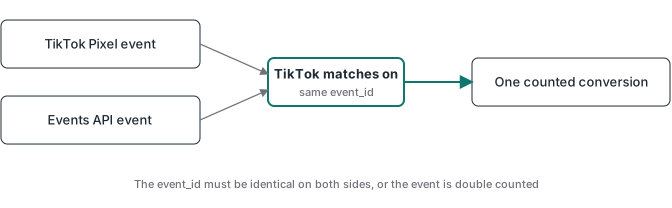
TikTok deduplicates overlapping events by comparing the event name and event_id. The Pixel copy and Events API copy must carry the same values for the same conversion. The identifier may originate in the browser or backend. What matters is that it is unique to that occurrence, stays stable, and reaches both sends. TikTok says identical events are deduplicated within a 48-hour window. Its interactive GTM setup creates the ID variable automatically, while a manual implementation needs its own shared variable. An order ID works well for a purchase when it is available to both channels. A random ID created separately in each tag does not. The two values will look valid in isolation, but TikTok will see two purchases.
There are two clean patterns:
- Browser and server both send Purchase. Create or retrieve one ID, pass it to the Pixel and server event, and keep the event name identical.
- Only the backend sends Purchase. Fire upper funnel events in the browser, then create Purchase from the confirmed payment webhook. There is no duplicate Purchase channel, so deduplication is unnecessary for that event.
TikTok documents the exact behavior in its event deduplication guide. The same architecture appears in the Meta CAPI with GTM guide, though each platform has its own payload rules.
What does server-side TikTok tracking fail to fix?
Server-side TikTok tracking does not repair an event model that fires at the wrong moment. It also does not guarantee that every browser event reaches the server, improve matching without useful identifiers, or replace consent. A thank-you-page Purchase routed through sGTM is still a thank-you-page Purchase. Refreshes can duplicate it, a failed payment may still redirect, and a copied URL can trigger the page without a transaction. The infrastructure improved, but the business fact did not. Another common failure is assuming the server can recreate ttclid or _ttp after they were discarded. It cannot. Those values must be captured when available, stored with an attribution record, and joined to the later conversion.
The boundary is easy to remember:
- sGTM protects and controls the route from your server onward.
- A webhook or backend system supplies an independent conversion source.
- Stored attribution connects that source to the earlier TikTok click.
- Deduplication prevents overlapping channels from counting twice.
If any one of those pieces is missing, the dashboard may still show events, but the events do not necessarily represent clean purchases.
How does webhook validation improve TikTok purchase tracking?
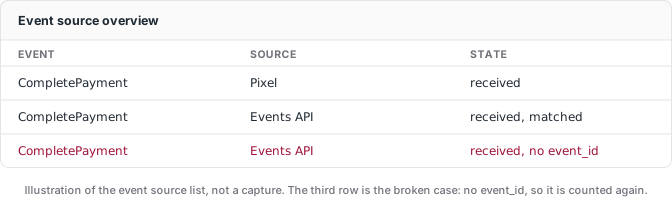
Webhook validation makes the payment processor the source of the Purchase event. The processor sends a signed notification when payment reaches the status you accept as a conversion. Your server verifies the signature, checks the event type and payment state, rejects repeated webhook deliveries, then joins the order to attribution captured earlier. Only after those checks does the GTM server container send Purchase to TikTok. This is the server-originated route that can record a sale even when the checkout page never returned to your site. It still has limits. Refunds and disputes can happen later, and the join fails if the checkout never carried a stable customer or order reference. A good implementation logs those failures instead of inventing attribution.
For a purchase flow, the validation checklist is short:
- Capture
ttclid,_ttp, consent state, and a stable session or customer key before checkout. - Pass that key into the payment record.
- Verify the webhook signature and accepted payment status.
- Make webhook processing idempotent so a retry cannot create a second Purchase.
- Join the payment to stored attribution and send one TikTok event.
- If a Pixel Purchase also exists, use the same event name and
event_idon both routes.
The Stripe conversion tracking guide shows that server-originated purchase path in more detail. It is also the default purchase architecture in ATA’s pre-built containers.
How do you test a TikTok Events API setup before publishing?
Test the whole chain, not the final API response alone. Open Preview in the web container and server container, then use TikTok Events Manager’s Test Events view. Run one controlled conversion with known values. You should see the browser event enter the tagging subdomain, the correct server client claim it, the TikTok tag fire once, and the outgoing request contain the intended event name, ID, match keys, value, and currency. If you run Pixel and Events API together, confirm TikTok recognizes one conversion rather than two. After live traffic begins, check Events Manager for connection method, recent activity, match quality, and diagnostics. An accepted HTTP request proves TikTok received a payload. It does not prove the order was real, the fields were useful, or deduplication worked.
Use these acceptance criteria:
- One real test transaction creates one counted Purchase.
- Pixel and Events API copies share the same event name and
event_id. - The
_ttpcookie value appears in the API’sttpfield when consent allows it. - Hashed identifiers are normalized consistently before hashing.
- Value and currency match the payment record.
- A webhook retry does not create another Purchase.
- A failed or unpaid transaction creates no Purchase.
- GTM Preview and TikTok Diagnostics show no unresolved delivery error.
That last unpaid test is the one many implementations skip. It is also the test that tells you whether you built conversion tracking or just moved a page-view trigger onto a server.
If you want this flow without rebuilding the event model for every client, the ATA TikTok container includes the web and server pieces, deduplication, attribution storage, and webhook validation. Import it, configure the client variables, and deploy it in under an hour. Membership is $27 per month, and your entry price stays locked while the subscription remains active.