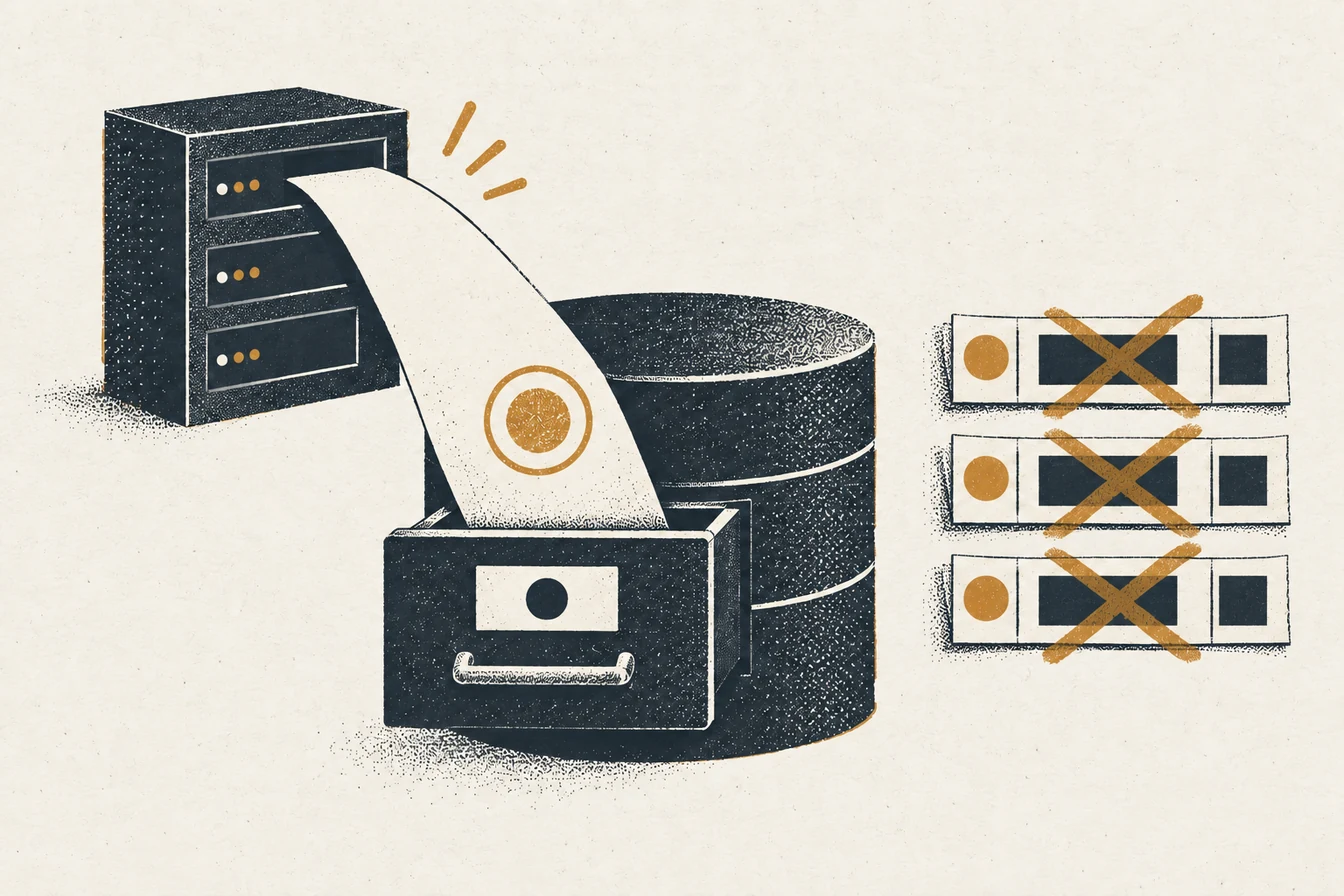
An sGTM event database is a Postgres table that keeps a receipt for selected server container events after a client has claimed the request. Supabase gives you managed Postgres plus an HTTPS Data API, so a server tag (or a small private writer) can store that receipt instead of appending rows to a spreadsheet. The receipt answers one practical question: did this event reach the container, and was it written once?
It’s an audit trail, not proof that an ad platform accepted or attributed anything. Keep a stable event ID, read the HTTP response, check the stored row, and then compare with each destination’s own report.
The table, grants and conflict rules below come from an ATA lab run on 2026-10-17: Postgres 17.11 with PostgREST v13.0.7, the API layer that Supabase’s Data API is built on (checked 2026-10-17). It was not a Supabase project, so Supabase’s API gateway and key handling were not part of the test. The text says where that matters.
Postgres states what makes a row unique; Sheets doesn’t
A spreadsheet is fine for a quick look. Postgres lets you declare what makes a row unique, type each column, index the questions you ask, and keep a controlled history. With Sheets, a repeat write and a second event source look the same: one more row.
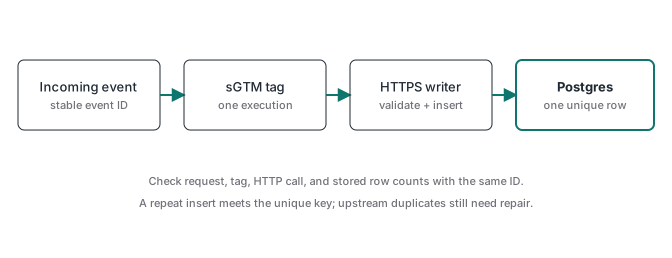
The case that prompted this article was a reported setup where a Sheets write produced three identical rows for one apparent fire. ATA didn’t debug that setup and has no checkpoint counts for it, so this article can’t give you its cause. What it can show is one mechanism that produces that symptom, reproduced in the lab: the same event sent three times with a stable event_id produced one row, and the same event sent three times with a fresh random ID per send produced three rows. A unique key only helps when the ID survives the retry.
So before moving storage, send one test event with a known ID and count it at every stage: incoming requests, server events, tag executions, outbound HTTP calls, stored rows. If an earlier count is already three, moving the last step to Postgres just hides the duplication behind a constraint. The sGTM request debug ladder helps find the first extra copy.
The table, the unique key and the writer role
This is the schema from the lab run. It keeps only what an operational log needs.
create table public.event_log (
  id          bigint generated always as identity primary key,
  event_id    text        not null,
  event_name  text        not null,
  source      text        not null,
  occurred_at timestamptz not null,
  received_at timestamptz not null default now(),
  payload     jsonb       not null default '{}'::jsonb,
  constraint event_log_once unique (event_id, event_name, source)
);

-- the writer can insert these columns and nothing else
grant insert (event_id, event_name, source, occurred_at, payload)
  on public.event_log to event_writer;
-- needed for on_conflict: Postgres reads the conflict columns
grant select (event_id, event_name, source)
  on public.event_log to event_writer;
The second grant is easy to miss. With INSERT alone, a plain insert worked, but an insert that named a conflict target failed with permission denied for table event_log (HTTP 403 through PostgREST). Postgres has to read the conflict columns to check them, so the writer needs SELECT on those three columns. It still can’t read payload.
Keep payload small. Don’t dump every request header or customer identifier into it. Decide what evidence you need, who can query it and when it’s deleted, because an event log turns into a sensitive data store quickly.
Which Supabase key can write, and where it goes
Supabase now issues sb_publishable_... and sb_secret_... keys. Its API keys guide (checked 2026-10-17) says secret keys “bypass every Row Level Security policy”, that both kinds go “on the apikey header, not on Authorization: Bearer”, and that Supabase “is deprecating the anon and service_role keys by the end of 2026”. Tutorials that paste a long eyJ... service-role key are using the legacy model.
That leaves two sane routes:
- A private writer, the cleaner route. The server tag posts a compact JSON body to a small service you run. The service authenticates the caller, validates the fields and writes to Postgres as a dedicated login role with the grants above. Supabase’s roles guide shows
create role ... with login passwordfor this (checked 2026-10-17). - The Data API called directly from sGTM. The tag sends the secret key in the
apikeyheader. That key can do far more than insert one table, so it lives only in the server container, editing and Preview access stay restricted, and you rotate it if it leaks.
Never use a publishable key behind a broad insert policy to make the tag go green. Anyone with that key could then write rows inside the policy’s scope.
If you enable RLS on the table so publishable keys can’t reach it, a non-owner writer role needs policies too. In the lab, with RLS on and only an INSERT policy, a fresh insert worked, but a replay with a conflict target failed with new row violates row-level security policy. Adding a SELECT policy for the writer turned the replay into a silent no-op. A secret key skips all of this because it bypasses RLS.
One request and the responses you should expect
This is the shape of the request through the Data API. The lab sent the same body to PostgREST with a role token instead of the Supabase key.
curl -X POST \
  "https://<project_ref>.supabase.co/rest/v1/event_log?on_conflict=event_id,event_name,source" \
  -H "apikey: $SUPABASE_SECRET_KEY" \
  -H "Content-Type: application/json" \
  -H "Prefer: return=minimal, resolution=ignore-duplicates" \
  -d '{"event_id":"ord_1042","event_name":"purchase","source":"sgtm",
       "occurred_at":"2026-10-17T13:00:00Z",
       "payload":{"value":129.9,"currency":"BRL"}}'
What the lab returned on 2026-10-17:
| Request | Response | Rows after |
|---|---|---|
| First insert | 201 |
1 |
Same body, plain insert (no Prefer resolution) |
409, code 23505, duplicate key |
1 |
resolution=ignore-duplicates without on_conflict |
409, same error |
1 |
resolution=ignore-duplicates with on_conflict=event_id,event_name,source, sent twice |
201 both times |
1 |
occurred_at sent as 17/10/2026 13:00 |
400, code 22008, date/time out of range |
1 |
| No credentials | 401, permission denied |
1 |
Two rows in that table need explaining. Without on_conflict, PostgREST resolves conflicts on the primary key, and an identity id never collides, so the unique key still throws a 409. The PostgREST docs say you specify on_conflict to upsert on a column set with a UNIQUE constraint (checked 2026-10-17). And with ignore-duplicates, a repeat returns 201 with no new row. That is success, so don’t read a 201 as “one more row stored”.
Pick one contract and write it down. Plain insert means a 409 on repeat, which your writer treats as “already stored”. ignore-duplicates with on_conflict means a quiet 201. Either works; mixing them across templates is how logs end up untrustworthy.
When the writer fails, conversions must keep flowing
Treat the log as best effort unless you deliberately build a queue. The logging tag fires on its own trigger and is not part of a tag sequence with the conversion tags, so a slow or failing database never delays the GA4, Meta or Ads request. Google’s server-side Tag Manager docs describe the client and tag model, and the template permissions reference covers the send_http permission a custom tag needs for the outbound call.
Retry only what can succeed later: timeouts, network errors and 5xx responses. A 400, 401, 403 or 404 will fail the same way next time, so log it and alert. Every retry reuses the same event_id, which is the whole point of the unique key.
Because writes are best effort, the log is only “complete” if you check it. Once a day, compare rows per event name with the server container’s incoming event count for the same window. The tracking monitoring guide covers that kind of reconciliation. Before you trust the setup, also run one failure drill: point the writer at a wrong URL, fire a test purchase, and confirm the conversion tags still sent their requests. ATA hasn’t run that drill against a live container for this article, so treat it as a test to do, not a result.
A 404 usually means a doubled path
Supabase documents the table endpoint as https://<project_ref>.supabase.co/rest/v1/<table> in its route guide. Some sGTM templates ask for the project base URL and append /rest/v1/ themselves; others want the full table URL. Paste a URL that already ends in /rest/v1/ into the first kind and the request goes to /rest/v1/rest/v1/<table>.
In the lab, an extra path segment in front of the table returned 404 with PostgREST code PGRST125, “Invalid path specified in request URL”. Supabase’s gateway may wrap that differently, so don’t rely on the body. Read the actual outbound URL in server Preview: it’s stronger evidence than any field label. Then check the table name, the exposed schema and whether the Data API is on, because a 404 alone doesn’t tell you which one is wrong.
Send ISO 8601 timestamps with a timezone
Send occurred_at as ISO 8601 with a zone, such as 2026-10-17T13:00:00Z, into a timestamptz column. The lab’s 17/10/2026 13:00 was rejected outright, and a value like 10/01/2026 is worse when it’s accepted, because it can mean two different days. A Unix millisecond number is not an ISO string either.
Keep occurred_at separate from the database’s received_at default. The gap between them is your delivery delay, and you never have to rewrite when the event happened. Supabase’s table guide is a reminder that column types live in the schema, not in a tag’s field label.
Self-hosted Postgres is a fair low-cost option
If you already run a database securely, a private Postgres table behind your own HTTPS writer is a reasonable low-cash-cost option. It still needs storage, backups, updates, credentials, access control, monitoring and a restore test. Don’t connect a browser to Postgres or open a database port to skip a subscription.
Supabase’s self-hosting guide says that when you run the stack yourself, maintenance, security, backups and recovery are on you. For one append-only receipt table, plain Postgres plus a small writer may be simpler than the full stack. Compare total operating work with managed pricing at your real row count and retention.
ATA’s tracking work focuses on validated conversion delivery, especially purchases confirmed by webhook. This event log is an optional observability layer next to that flow; the ATA Tracking Toolkit doesn’t include a Supabase logging template. If you need a hosted server container, the Stape box below links to its plans (an affiliate link). The ATA Tracking Toolkit membership includes a library of server GTM containers as a bonus; add a database only when the audit question justifies the upkeep.
For Instant Form campaigns, Meta Lead Ads downloads close after 90 days. Retrieve and save each contact separately from your conversion-event log.
When several partners share delivery logic, scope each receipt by tenant and partner as well as event ID. The multi-tenant sGTM guide explains the lookup and rejected-event paths.